> ## Documentation Index
> Fetch the complete documentation index at: https://docs.fairytech.ai/llms.txt
> Use this file to discover all available pages before exploring further.
# UI Theme 설정 (Android)
> 캐시백 웹 UI 테마 커스터마이징
## **status bar color 바꾸기**
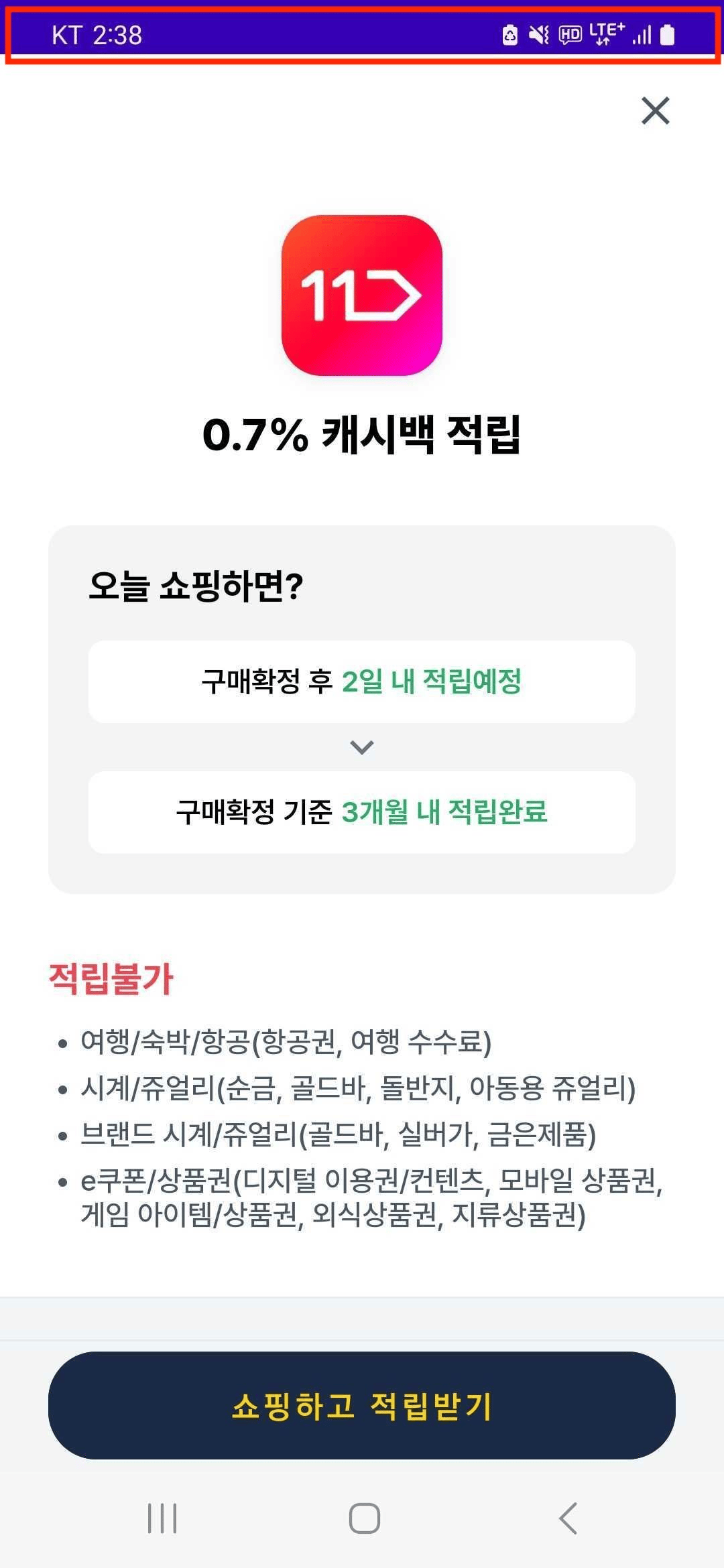 캐시백 서비스가 보이는 화면에서 상단의 status bar(빨간색 네모쳐진 부분) 색상을 customize하고 싶은 경우, 앱의 `themes.xml`에 `momentCashbackStatusBarColor` style attribute를 추가해주세요.
```xml theme={null}
// themes.xml
```
별도의 style attribute를 지정하지 않는 경우, 앱의 status bar color와 같은 색의 status bar color를 사용하게 됩니다.
캐시백 서비스가 보이는 화면에서 상단의 status bar(빨간색 네모쳐진 부분) 색상을 customize하고 싶은 경우, 앱의 `themes.xml`에 `momentCashbackStatusBarColor` style attribute를 추가해주세요.
```xml theme={null}
// themes.xml
```
별도의 style attribute를 지정하지 않는 경우, 앱의 status bar color와 같은 색의 status bar color를 사용하게 됩니다.